Table of Contents
10 Best Website Builders for Freelancers in 2026
The global freelance platform market is set to hit $14.39 billion by 2030, and your portfolio site is your digital handshake. A social profile won’t win high-ticket contracts.
Clients expect speed, too. Nearly 47% of users expect pages to load in under two seconds, so you need a platform that performs without asking you to learn to code.
Key Takeaways
- WordPress powers 43.5% of the internet, giving freelancers ownership and flexibility.
- Mobile traffic makes up 58.67% of visits globally, so responsive design controls are mandatory.
- Site speed affects your revenue. A 100-millisecond delay drops conversions by 7%.
- Carrd offers the cheapest entry point at just $19 a year for one-page sites.
- Framer adoption grew 400%, making it a top pick for UI/UX designers.
- Shopify Starter gives digital product creators a sales channel at competitive rates.
- AI integration shifted from gimmick to necessity, with agentic tools now handling layout builds.
Elementor (WordPress): The Ultimate Professional Choice
If you want full control over your digital storefront, Elementor Pro gives you exactly that. It runs on WordPress, so you own your data instead of renting space on a closed platform, and the new V4 (Atomic) foundation speeds up your site.
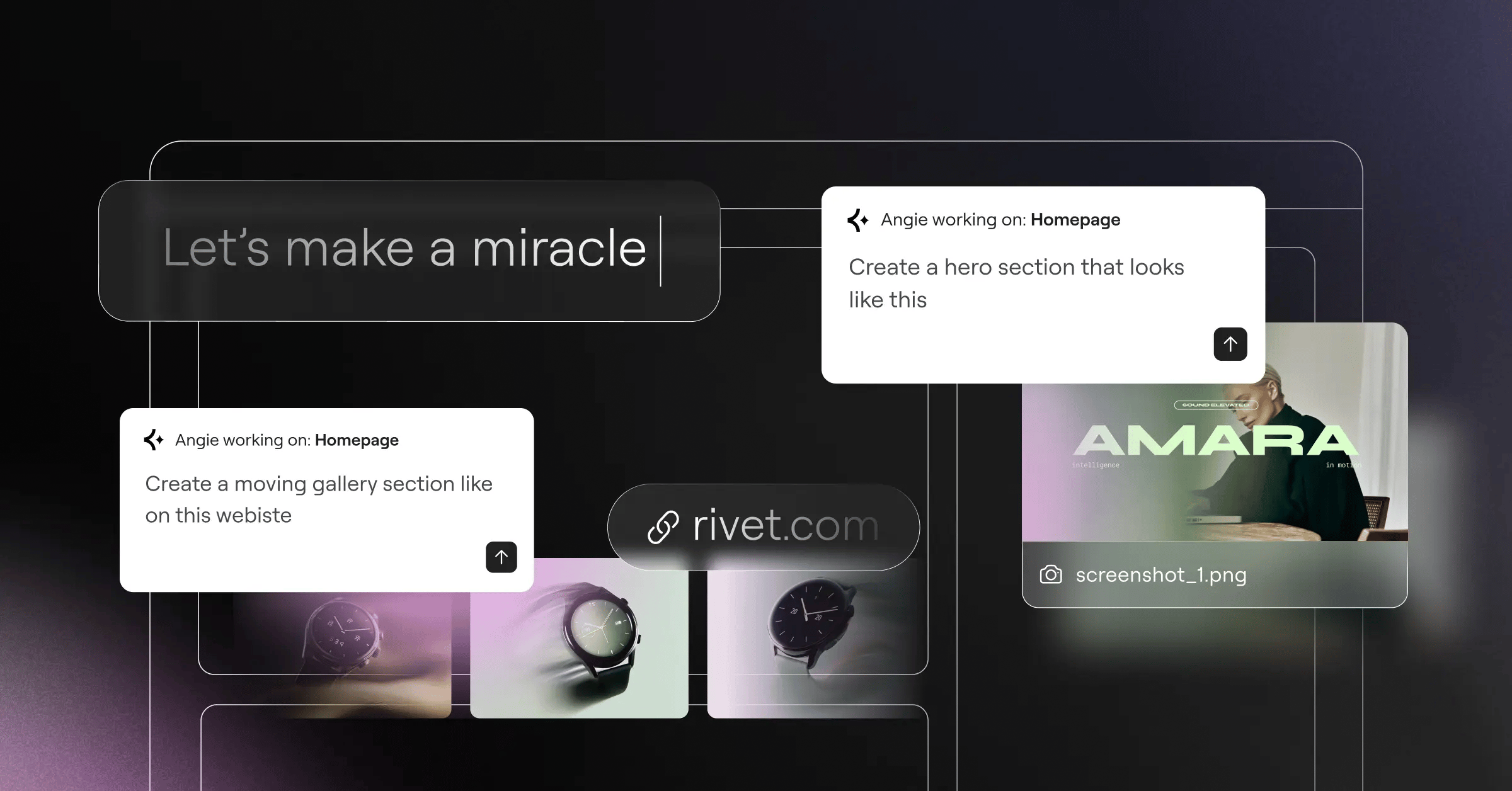
Elementor One bundles hosting, design, AI, and marketing into one dashboard, and Angie, a native agentic AI, builds structures from plain-language chat.
True SEO success for freelancers in 2026 requires total control over site architecture and code structure. Walled gardens restrict your growth when it matters most.
Itamar Haim, SEO Team Lead at Elementor. A digital strategist merging SEO, AEO/GEO, and web development.
Key Features
- Theme Builder – Builds custom headers, footers, and archive pages.
- Dynamic Content – Connects native custom post types to designs instantly.
- 118+ Widgets – Covers everything from text blocks to WooCommerce checkout elements.
- Angie AI Integration – Takes action inside WordPress via agentic AI.
- Global Brand Settings – Manages typography and colors across 50 pages.
- Form Builder – Captures leads without paying for third-party form plugins.
Pricing
The Essential plan costs $60/year for one site. Elementor One costs $168/year, with managed hosting, optimization, and AI credits.
Pros
- Full ownership of your website files and database.
- A massive plugin ecosystem for any feature.
- Industry-leading Core Web Vitals performance with Elementor Hosting.
- Strong pricing value compared to closed platforms.
- Agentic AI that builds layouts, not just text.
Cons
- Takes a little time to learn WordPress basics.
- You’ll manage updates unless you use managed hosting.
- The number of options can overwhelm beginners.
- Some complex animations need third-party add-ons.
Verdict
This is the standard for professionals ready to scale, hire subcontractors, or run an agency.
Wix: The All-in-One Powerhouse
Sometimes you just need a site live by tomorrow. Wix holds about 10.3% of the hosted website market, with a drag-and-drop interface. It’s a great fit for service-based freelancers: photographers, consultants, and trainers lean on scheduling tools instead of separate subscriptions.
Key Features
- Wix Bookings – Handles scheduling for client calls and calendars natively.
- ADI (Artificial Design Intelligence) – Builds a starter layout from a questionnaire.
- App Market – Adds hundreds of integrations for marketing and dropshipping.
- SEO Wiz – Walks you through a checklist for basic meta tags.
- Built-in Invoicing – Sends professional invoices from your dashboard.
Pricing
The Light plan starts at $17/month. For payments or basic services, you’ll need the Core plan at $29/month.
Pros
- No technical maintenance to worry about.
- Support handles server issues directly.
- Templates look professional out of the box.
- A strong mobile editing experience.
Cons
- Switching templates after launch means rebuilding the site.
- Site speed can slow with too many apps.
- Costs rise once you need premium features.
- Moving your site to another platform isn’t supported.
Verdict
Choose Wix if code isn’t your thing. It gets you online fast and worry-free.
Squarespace: The Aesthetic Standard
Visual presentation matters, and Squarespace built its reputation on award-winning typography and spacing, so art directors and fashion photographers start here. The newer Fluid Engine editor added a grid-based system with tighter control over mobile layouts.
Key Features
- Fluid Engine Editor – Snaps elements into aligned positions on a grid.
- Visual-First Templates – Suits heavy image and video content.
- Member Areas – Gates premium content or courses behind a native paywall.
- Email Marketing – Drafts and sends newsletters from the same dashboard.
- Acuity Scheduling – Connects with one of the strongest booking systems.
Pricing
The Personal plan costs $16/month billed annually. The Business plan runs $23/month.
Pros
- Templates that look beautiful.
- Image handling and resizing work flawlessly.
- Built-in analytics that are easy to understand.
- Native podcasting features.
Cons
- The Business plan applies a 3% transaction fee on sales.
- Navigation takes more steps on larger sites.
- SEO features are more limited than WordPress.
- No option to back up your site.
Verdict
If your work leans on visuals, this platform makes your portfolio look expensive.
Webflow: For the Design-Forward Freelancer
Webflow expects you to understand how HTML and CSS work. Think of it as a visual coding tool rather than a drag-and-drop builder. Webflow sites hit 90+ scores on Google PageSpeed Insights, thanks to clean code export and AWS-backed hosting.
Key Features
- Interactions 2.0 – Builds complex scroll-triggered animations.
- Custom CMS – Creates custom database structures for portfolio case studies.
- Editor Mode – Lets clients update text without breaking the design.
- Clean Code Export – Downloads HTML, CSS, and JS files to host anywhere.
- Logic Automation – Routes leads and data through workflow automations.
Pricing
Freelancers need the CMS Plan at $23/month billed annually, supporting up to 2,000 CMS items.
Pros
- Total design freedom, zero template restrictions.
- Fast loading speeds out of the box.
- Strong animation capabilities.
- A client-friendly editor interface.
Cons
- Webflow has a steep learning curve.
- E-commerce features are more basic than Shopify’s.
- Pricing increases as your traffic grows.
- Native user authentication tools are still maturing.
Verdict
Webflow is the choice for developers and UI designers who want pixel-perfect execution.
Framer: The Interactive Portfolio King
The design community has shifted. Framer saw a 400% increase in site publishes over the last two years, because it works like Figma: design on a freeform canvas, paste your Figma layers, and publish to the browser.
Key Features
- Figma Import – Copies entire vector layouts directly into Framer.
- Scroll Transforms – Runs native 3D effects and parallax on mobile.
- Component Variants – Builds interactive buttons and menus like design software.
- Localization – Translates your portfolio for international clients.
- Canvas Editing – Converts freeform placement into responsive flexbox.
Pricing
The Mini plan starts at competitive rates for landing pages. Most freelancers need the Pro plan at $30/month for analytics and larger sites.
Pros
- The fastest workflow if you already use Figma.
- Animations perform well in the browser.
- Zero plugin management required.
- Excellent community templates for quick starts.
Cons
- Not built for heavy content sites or blogs.
- CMS functionality is more limited than Webflow’s.
- Text rendering can be inconsistent on older browsers.
- Form integrations are somewhat limited.
Verdict
If you build apps or design software interfaces, your portfolio belongs on Framer.
Carrd: The Minimalist’s Secret Weapon
Not every freelancer needs a multi-page website. Sometimes a digital business card is enough, and Carrd owns that niche, building responsive, single-page sites fast. Writers, social media managers, and voice actors use it as a cheap “Link in Bio” alternative.
Key Features
- One-Page Architecture – Keeps copy concise and direct.
- Custom Forms – Connects to Mailchimp, ConvertKit, or standard email.
- Stripe Integration – Accepts payments for consultations or simple services.
- Widget Embeds – Drops in code snippets for calendars or video players.
Pricing
The Pro Standard plan costs $19 a year, covering up to 10 sites with custom domains.
Pros
- An unbeatable price point for beginners.
- Almost impossible to break the responsive design.
- Launches in about thirty minutes.
- A generous allowance for multiple sites.
Cons
- Limited to single-page designs.
- No blogging capabilities.
- SEO is limited by the one-page format.
- Design options stay limited.
Verdict
If you need a contact form and a bio, grab Carrd and get back to work.
Hostinger Website Builder: The Budget-Friendly AI Builder
Starting out means watching every dollar. Hostinger Website Builder bundles hosting, a free domain, and a builder into one low-cost, AI-powered package. Answer three questions, and it puts together text, images, and layouts. It won’t win design awards, but it works for local service providers.
Key Features
- AI Site Generator – Builds complete multi-page layouts from text prompts.
- AI Heatmaps – Predicts where visitors will click before you launch.
- Logo Maker – Generates basic branding assets internally.
- Grid-Based Editor – Keeps elements aligned automatically.
Pricing
Plans start at competitive rates, including a free domain for the first year.
Pros
- The lowest barrier to entry for a multi-page site.
- Hosting and domain handled in one dashboard.
- Support that’s fast for the price.
- Included email accounts save you Google Workspace fees.
Cons
- Renewal prices increase after the first term.
- Templates follow standard layouts.
- A limited third-party app ecosystem.
- E-commerce features suit basic stores.
Verdict
With less than $50 for your whole web presence, Hostinger is your safest bet.
Shopify: For the Product-Based Freelancer
Plenty of freelancers shift to selling assets: fonts, UI kits, Notion templates, or physical merch. Once you move from selling time to selling products, Shopify starts to make sense, handling global payments, taxes, shipping, and digital downloads without fuss.
Key Features
- Digital Downloads App – Delivers files securely the moment payment clears.
- Shopify Markets – Localizes currency and pricing for international buyers.
- Shopify Checkout – Runs one of the highest-converting checkout flows.
- Inventory Tracking – Manages stock levels for physical goods automatically.
Pricing
The Starter plan costs competitive rates for selling via social media links. The Basic plan (a full website) costs $39/month.
Pros
- Reliable payment processing infrastructure.
- A massive app store for marketing integrations.
- Strong inventory management tools.
- Solid security for customer data.
Cons
- Blogging features are basic.
- Premium themes can cost upwards of $300.
- Transaction fees apply if you don’t use Shopify Payments.
- More platform than you need for one or two services.
Verdict
Skip this for a portfolio, but if products drive your income, Shopify pays for itself.
Ghost: The Writer’s Choice
Freelance journalists and copywriters need a distraction-free writing environment, and Ghost delivers that, built for publishers and creators. It handles paid memberships and newsletter delivery natively: publish a post, and it updates your site and emails subscribers at once.
Key Features
- Native Memberships – Gates your content behind free or paid subscription tiers.
- Newsletter Delivery – Sends formatted emails from the editor.
- Markdown Support – Speeds up writing with standard markdown formatting.
- SEO Optimization – Runs clean code and automated XML sitemaps.
- Creator Dashboard – Tracks subscriber growth and open rates.
Pricing
The Starter plan costs $9/month. The Creator plan runs $25/month and unlocks custom themes.
Pros
- A smooth, fast writing experience.
- Replaces Substack while you keep your own domain.
- Keeps 100% of your membership revenue, unlike many competitors.
- Fast page load speeds.
Cons
- Design customization needs coding knowledge (Handlebars.js).
- Few options for selling non-subscription products.
- No drag-and-drop page builder.
- A small theme marketplace.
Verdict
If words are your business, Ghost is the cleanest platform for building a loyal readership.
WordPress.com: The Managed Alternative
WordPress.org is the software, and WordPress.com is a managed hosting service, giving you WordPress’s power without server maintenance headaches. You get automatic backups, built-in security, and global CDN delivery, and can still install tools like Elementor. Angie works here too, connecting to your managed setup to deploy page structures.
Key Features
- Jetpack Integration – Runs built-in security scanning and brute-force protection.
- Global CDN – Serves images from servers closest to visitors.
- Automated Updates – Keeps core files and plugins patched silently.
- Activity Log – Tracks every change to your site.
- Monetization Tools – Adds native blocks for donations or payments.
Pricing
The Explorer plan costs $8/month, but custom plugins and themes require the Creator plan at $25/month.
Pros
- No anxiety about server management or downtime.
- Strong customer support directly from Automattic.
- Scales effortlessly if a post goes viral.
- Access to the WordPress ecosystem on higher tiers.
Cons
- Custom plugins require upgrading to the pricier Creator plan.
- You get less server-level control than self-hosted WordPress.
- The dashboard mixes WordPress.com ads with native settings.
- Terms of service limit what you can publish.
Verdict
It’s ideal for freelancers who want WordPress’s power without managing a server themselves.
Comparison Summary: 2026 Freelancer Builder Matrix
Here’s how these platforms stack up, with pricing at entry-level tiers.
| Platform | Starting Price | Ease of Use | Best Use Case |
|---|---|---|---|
| Elementor (WP) | $60/year | Medium | Scalable Pro Portfolios |
| Wix | $17/month | High | Service Providers |
| Squarespace | $16/month | High | Visual Artists |
| Webflow | $23/month | Low | Front-End Devs |
| Framer | Competitive rates | Medium | UI/UX Designers |
| Carrd | $19/year | High | One-Page Bios |
| Hostinger | Competitive rates | High | Absolute Beginners |
| Shopify | Competitive rates | Medium | Product Sellers |
| Ghost | $9/month | Medium | Writers/Journalists |
| WordPress.com | $25/month | Medium | Managed WP Users |
Final Recommendation: Which One Should You Choose?
Choosing can feel paralyzing. Match the platform to your workflow, and the decision gets easier.
- The Growth-Minded Professional – Choose Elementor. It gives you full ownership, SEO controls, and room to add features later. You won’t outgrow it.
- The Interactive Designer – Go with Framer. If you live in Figma, it carries that skill set into the browser.
- The Minimalist – Get Carrd. Spend $19, take an hour some Sunday, and your one-page site goes live.
- The Writer – Pick Ghost. Skip the complex page builders and focus on growing your newsletter.
Frequently Asked Questions
Do I really need a website, or is LinkedIn enough?
A LinkedIn profile proves you exist. A website proves your authority, and clients hire freelancers who control their own branding and case studies.
Can I change my website builder later?
It depends on the platform. Moving from Wix or Squarespace means rebuilding from scratch, while a self-hosted WordPress setup moves since you own the database.
What is agentic AI for websites?
Unlike text generators, agentic AI takes action: tools like Angie connect through an API and build the layout, adjust settings, and deploy elements from plain-text instructions.
Should I pay for a custom email address?
Yes, it’s worth it. A generic Gmail address looks unprofessional on an invoice, and registrars offer cheap email routing or Google Workspace.
How much does a domain name cost in 2026?
A standard .com domain runs $12 to $20 a year, and builders like Hostinger or Squarespace include the first year free.
What is an SSL certificate and do I need one?
SSL encrypts data between your site and visitors, and it’s mandatory. Browsers block access without it, and every builder includes one.
Can I use my portfolio to sell digital courses?
Yes, with the right features: Squarespace has Member Areas, Ghost handles subscriptions natively, and WordPress handles it via plugins like LearnDash or Elementor.
Are website builder templates bad for SEO?
Templates rarely hurt SEO alone. Problems show up with heavy, unoptimized code, so compress images and stick with platforms that prioritize Core Web Vitals.
Do I need to hire a developer to use WordPress?
Not anymore. Visual builders removed that requirement, so you drag, drop, and publish without touching PHP or CSS.
Looking for fresh content?
By entering your email, you agree to receive Elementor emails, including marketing emails,
and agree to our Terms & Conditions and Privacy Policy.